Change header & footer preset
This guide describes how to change the footer section preset (header is the same).
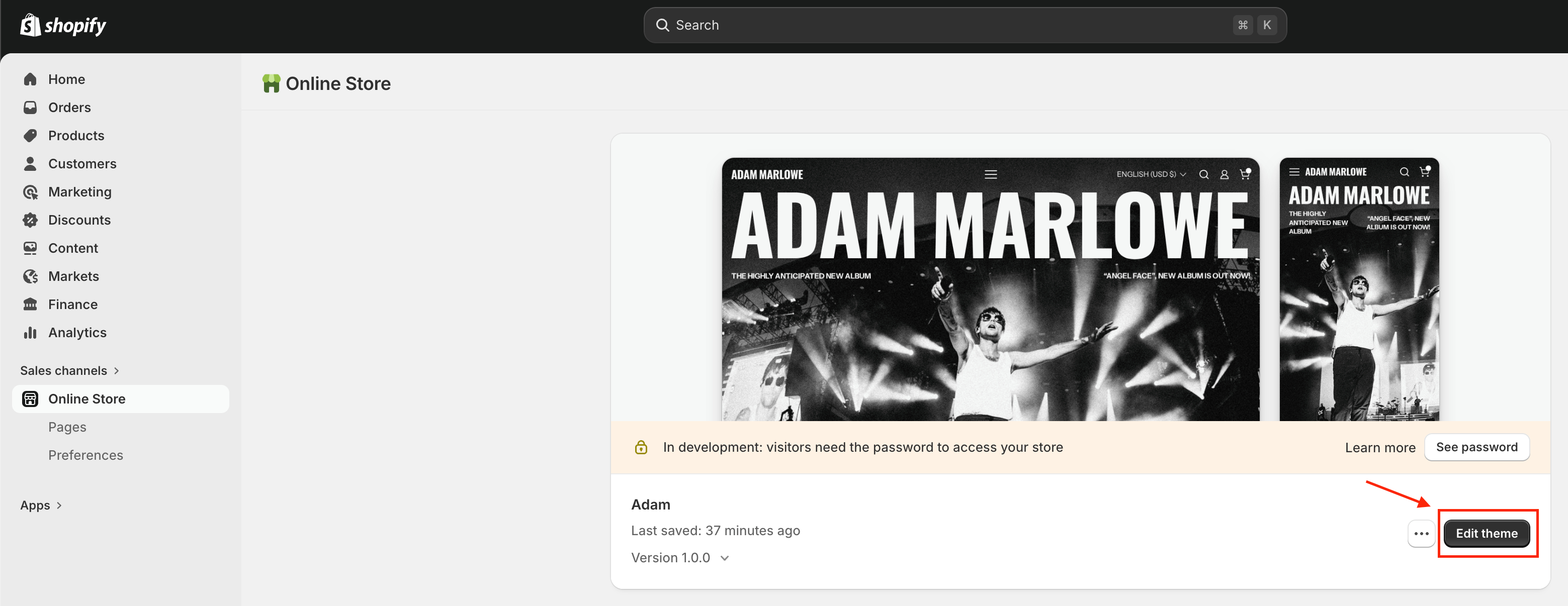
- On your store's Shopify admin page, on the side menu, select Sales channels > Online store > Themes.
- In the Current theme section, select Edit theme to open the Edit theme editor.
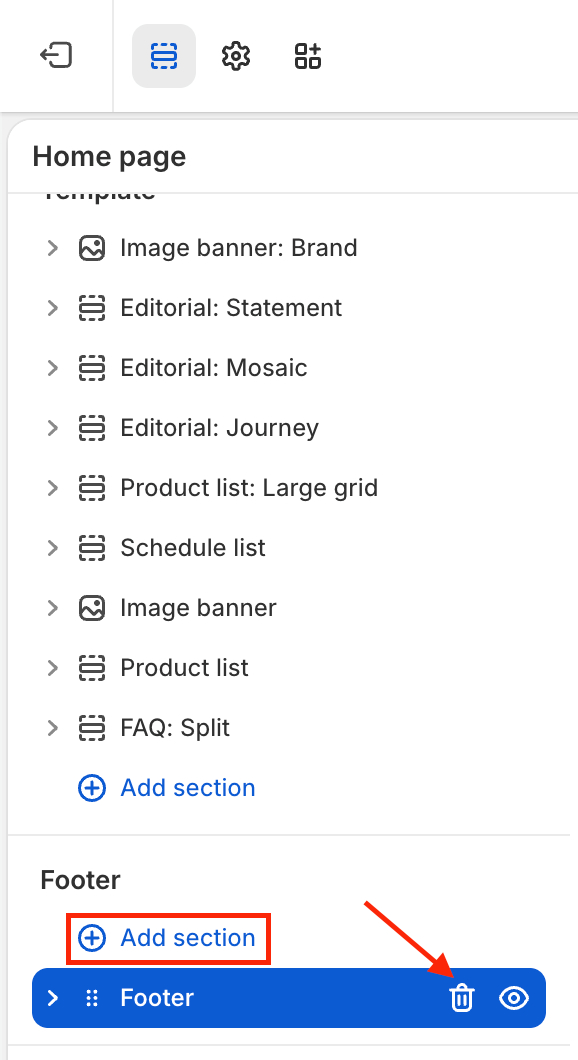
- On the left side of the editor, remove the current footer, then add a new footer section.
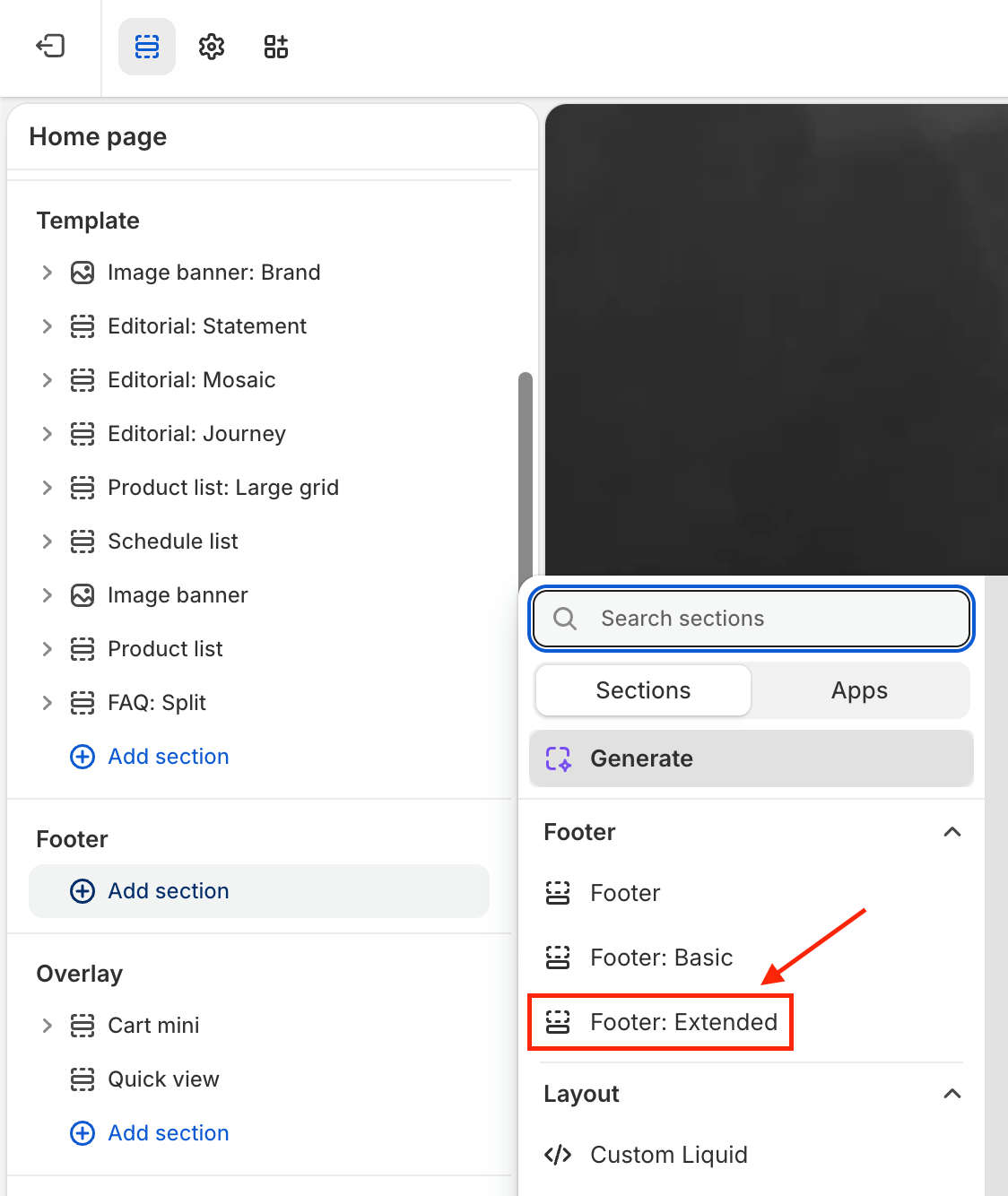
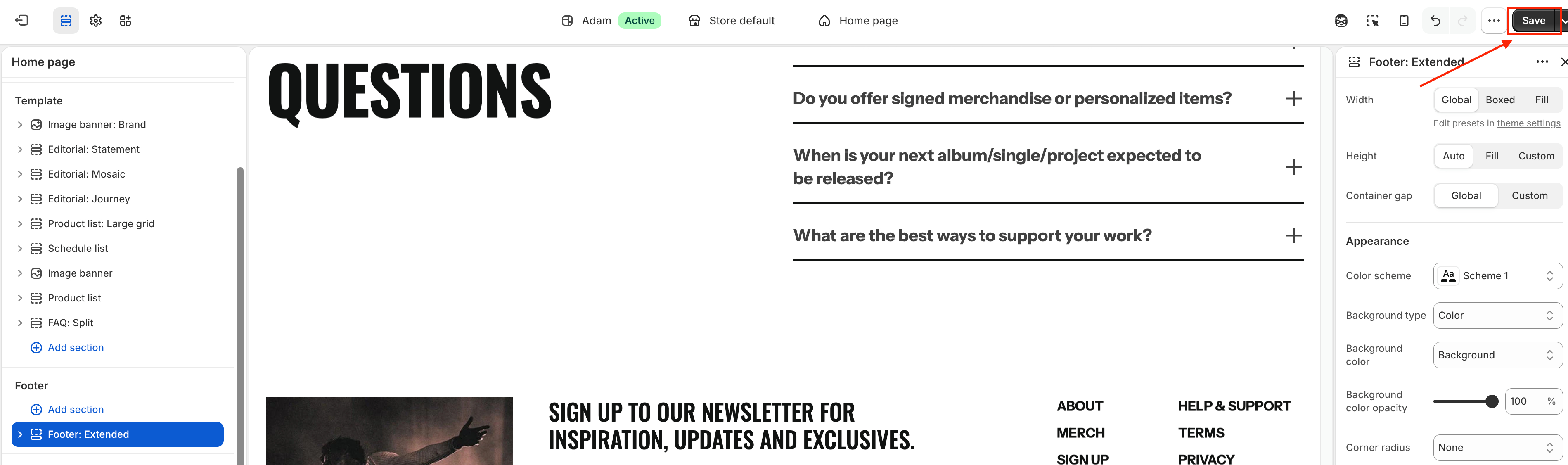
- Select the footer section style you want (
Footer: Basic,Footer: Extended) then save the change.