Overview
Based on how a section is created, there are two types of sections: Basic sections and Built sections.
All basic sections
Basic sections are sections created by using Add section in the Editor. They are entirely composed of available blocks added inside them. In reality, all Basic sections use the same Liquid file section.liquid, they only differ from each other by the blocks inside it. All basic sections share the same set of section settings. View Section settings
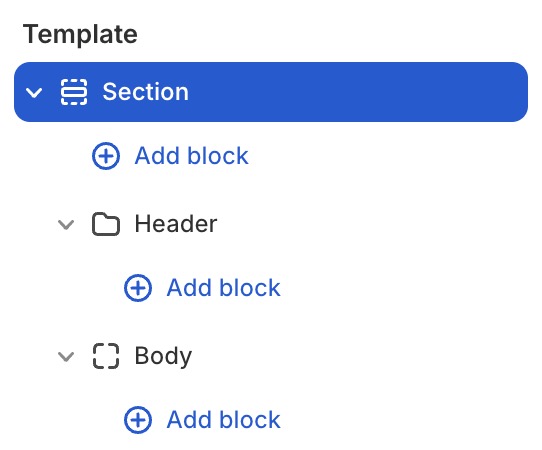
Here is a categories of the basic sections that you can find on the Adam theme:
- Banners
- Events
- FAQ
- Features
- Images
- Marquee
- Social
- Storytelling
- Testimonials
All built sections
Built sections are sections created using separate Liquid files. They have their own unique section settings to support their specific functionality.
For example, product sections will have additional input settings such as Select Product and Product list. Similarly, collection sections will include additional input settings like Select Collection and Collection list.
-
Collections:
- Collection grid
- Collection scroll tabs
- Collection tabs
- Collection trigger
- Featured collection
-
Products:
- Featured product
- Product list
- Product list: Dense grid
- Product list: Editorial
- Product list: Grid 3 cols
- Product list: Large grid
- Product spotlight
- Recently viewed
Section usage strategy
Here are some ways to use the sections on your store
- Homepage: Start with Hero for brand introduction → Feature Collection for product showcase → Image with Text Button for brand story → Testimonial for social proof → Email Signup for conversion.
- Product Page: Use Specification for technical details → Shop the Look for styling inspiration → Customer Review for social proof → Feature Collection for related products.
- Collection Pages: Use Banner Custom for collection branding → Feature Collection with Product for main display → Shop the Look for styling ideas → Specification for product comparisons.
Make sure that you arrange sections to guide user attention from awareness to consideration to conversion throughout the page flow. Also, try maintaining consistent styling across sections using global theme settings and color schemes for cohesive experiences.