Welcome to Adam Documentation

Welcome to the Adam theme user documentation. If you have any questions about theme features, configuration or bug fixes, then you should find it here. If you can’t find the answer you need, contact us through our email [email protected]
How to install Adam theme on the Shopify Theme Store
To install Adam, complete the following steps:
-
At the store’s admin, go to Sales channels > Online store > Themes > Theme library.
-
At Theme library, click on Import theme and choose Visit Theme Store.
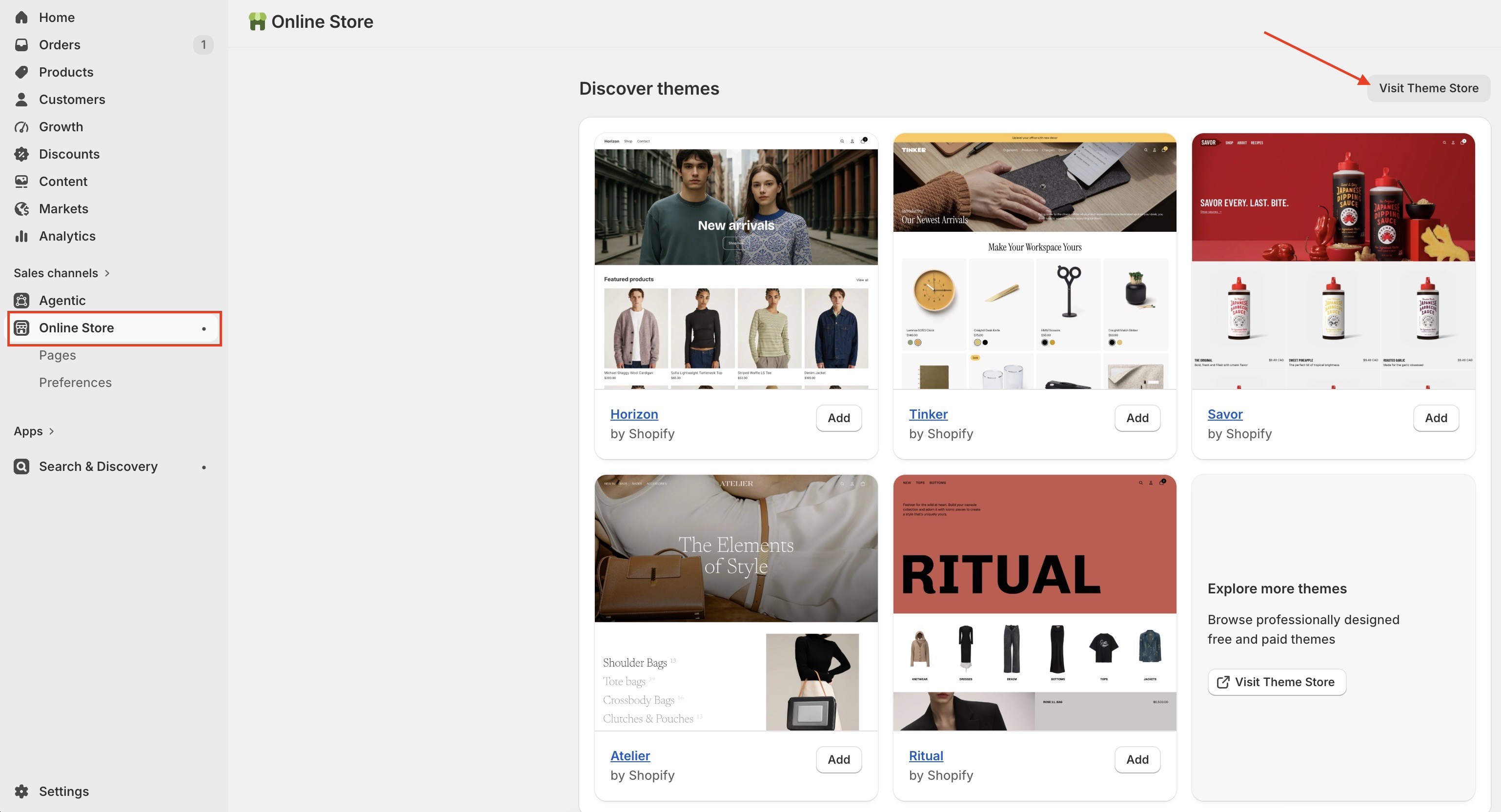
-
Enter Adam as the search term into the Search bar.
-
Select Adam, then click on Try theme.
-
Now, confirm if Adam is listed in your Theme library.
-
You have several actions to take with a theme, including:
- Preview. Apply Adam to your store temporarily, to see its appearance.
- Buy. Purchase Adam.
- Customize: Edit Adam as you want with in-depth settings
- Remove. Delete Adam from your theme library.
- Publish: Apply Adam theme to your store
Nice! Now you've installed Adam theme successfully and can start using for your Shopify store.
Email us at [email protected]